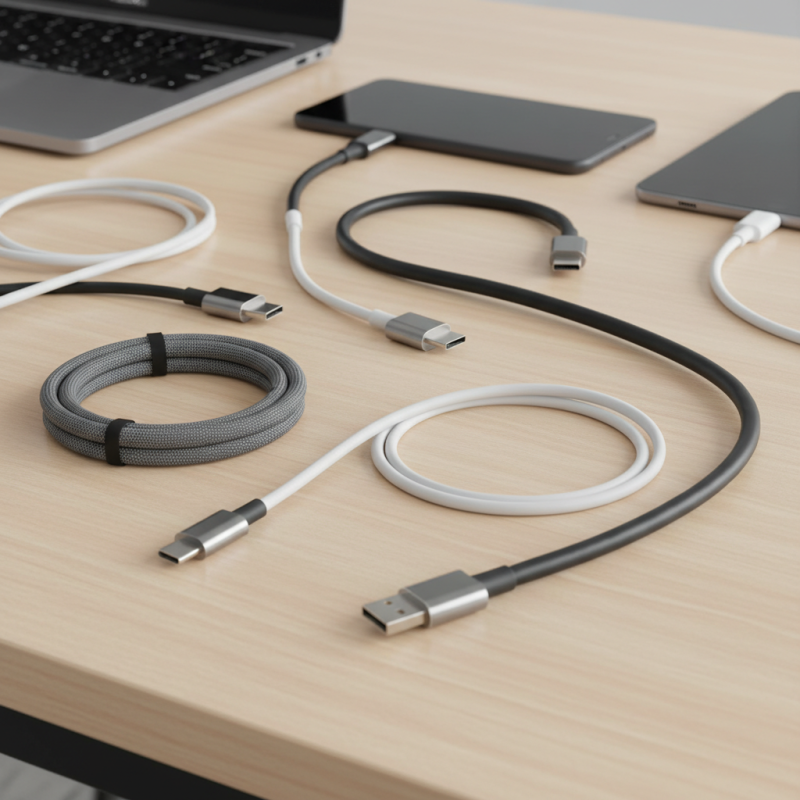
How to Choose the Best USB C Charging Cable for Your Needs?
Choosing the right Usb C Charging Cable can be challenging. With so many options available, it’s hard to know what works best for your needs. A USB C charging cable varies in quality, length, and compatibility. Understanding these factors can make a significant difference.
Many users overlook the importance of choosing the correct cable. A low-quality USB C charging cable may charge slowly or, worse, damage your devices. Always consider the materials used and user reviews. This will help you find a reliable option.
You may also need to reflect on your specific requirements. Do you need fast charging? Or perhaps you want a longer cable for convenience? Each use case may require a different type of USB C charging cable. Being informed will guide your decisions effectively.
Understanding USB C Charging Basics and Standards
When selecting a USB C charging cable, understanding the basics and standards is crucial. USB C offers a versatile connection, compatible with multiple devices. According to a study from the USB Implementers Forum, over 1.4 billion USB C devices were shipped globally in 2022. This trend highlights the importance of selecting the right cable to enhance charging speed and efficiency.
USB C cables can vary significantly in performance and specifications. Not all USB C cables support Power Delivery (PD), which optimizes charging for devices. For instance, a standard USB C cable may only provide 2.5 watts, while a PD-compatible cable can deliver up to 100 watts. Misunderstanding these differences can lead to slower charging and potential damage to devices. Choosing a cable that meets the required standards, such as the USB-IF certification, ensures reliability and proper functionality. A report from the International Data Corporation emphasizes that nearly 30% of users have experienced issues due to using incompatible cables.
Moreover, quality often varies among cables. Some may not guarantee data transfer speeds. A lower-quality cable might struggle to maintain optimal charging efficiency, risking overheating. Being informed about these factors is essential when making a purchase to avoid common pitfalls. Observing the differences in cable ratings and understanding manufacturer specifications can lead you to a more satisfactory experience.
Identifying Your Device Compatibility with USB C Cables
When choosing a USB-C charging cable, understanding device compatibility is crucial. USB-C is becoming the standard for many devices. However, not all USB-C cables are created equal. Some support fast charging, while others might not. Ensuring your cable matches your device’s specifications is essential.
Tips: Always check your device’s manual for compatibility. If your gadget supports fast charging, opt for a cable that provides this feature. Avoid generic cables that may not meet your device’s requirements. Unbranded cables often lack quality control and can lead to failures.
Pay attention to the cable's power delivery capability. Devices like laptops require more power than smartphones. Using a lower-rated cable can result in slow charging or overheating. Reflecting on your charging habits can guide your choice. If you frequently travel, a durable, compact cable might serve you better than a longer one.
Tips: Look for cables with a reinforced design. This could enhance longevity. Also, consider the charging speed you need. A simple search can reveal if a cable suits your speed requirements.
Evaluating Cable Length and Quality for Optimal Charging
When selecting a USB C charging cable, cable length and quality play crucial roles. Longer cables can offer convenient reach but may lead to slower charging speeds. A standard length is usually around 3 feet. However, if you often work from a distance, shorter cables can be limiting. It’s essential to assess your charging habits before deciding.
Quality cannot be overlooked. Cables made with durable materials tend to last longer. Look for options that can handle higher wattages. Low-quality cables may fray or fail, affecting your devices. It's frustrating when a cable stops functioning unexpectedly. Ensure that you check for certifications that guarantee safety and efficiency. This can provide peace of mind, especially when using expensive devices.
Be cautious with over-reliance on cable length for convenience. Sometimes, investing in a shorter, high-quality cable might serve better in terms of performance. However, if it doesn’t fit your setup, it could leave you constantly looking for a longer option. Finding the right balance is essential for optimal charging efficiency.
USB C Charging Cable Quality Evaluation
Comparing Fast Charging Capabilities and Power Delivery
When selecting a USB-C charging cable, understanding fast charging capabilities and power delivery is crucial. Fast charging allows devices to recharge significantly quicker than traditional charging methods. Typically, a cable supporting Power Delivery (PD) can deliver higher wattages. Reports estimate that a standard USB-C PD charger can offer up to 100W of power, significantly reducing charging times.
Not all USB-C cables are created equal. Some may only support USB 2.0 speeds, which limit their usability for fast charging. A 2021 study indicated that cables rated for higher power levels consistently performed better in real-world applications, even if listed specifications were similar. Users often overlook this aspect, leading to slower charging experiences. Additionally, longer cables can result in voltage drops, diminishing fast charging capabilities.
Reflection is needed when choosing a cable. Many users assume they can buy any generic USB-C cable for fast charging. This assumption can lead to disappointments and inefficient charging. Understanding specifications and choosing cables built for optimal performance is key. Always check for compatibility with fast charging standards and ensure that the cable can handle the necessary power levels.
How to Choose the Best USB C Charging Cable for Your Needs? - Comparing Fast Charging Capabilities and Power Delivery
| Cable Type | Max Power Delivery (W) | Fast Charging Support | Length Options (ft) | Price Range ($) |
| USB C to C | 100W | Yes | 3, 6, 10 | 15 - 30 |
| USB C to A | 60W | Yes | 3, 6 | 10 - 20 |
| USB C to Lightning | 20W | Yes | 3, 6 | 10 - 15 |
| USB C to Micro USB | 18W | No | 3, 6 | 5 - 10 |
| High-Speed Data Transfer USB C | 20W | Yes | 3, 6, 10 | 15 - 30 |
Considering Durability and Brand Reputation When Choosing Cables
When selecting a USB C charging cable, durability and brand reputation play crucial roles. Cables endure daily usage, so they should withstand wear and tear. Look for materials that resist fraying. Nylon braiding, for example, often adds resilience to cables. Factors like length and thickness also affect durability. A thicker cable generally offers better longevity, but balance is key.
Brand reputation matters, too. Established brands often have better quality control. They tend to invest in more rigorous testing. This results in cables that perform consistently over time. Researching user reviews can provide insights into a brand's reliability. Don’t overlook warranties; they often indicate a brand's confidence in its product.
Tips for making the right choice include checking compatibility with your devices. Not all USB C cables are equal. Some support only basic charging, while others enable fast charging. Pay attention to the power delivery rating. Sometimes, a lower price comes with trade-offs. Always weigh cost against features. Remember, investing in a quality cable can save you frustration in the long run.